This documentation explain and shows how to resolved the expiring of Windows 10/11 credentials for both standard and admin account/user. Please be guided with the assistance from IT Group.
- Open your a File Explorer or simply press Windows Key + E to open a default window of your File Explorer.
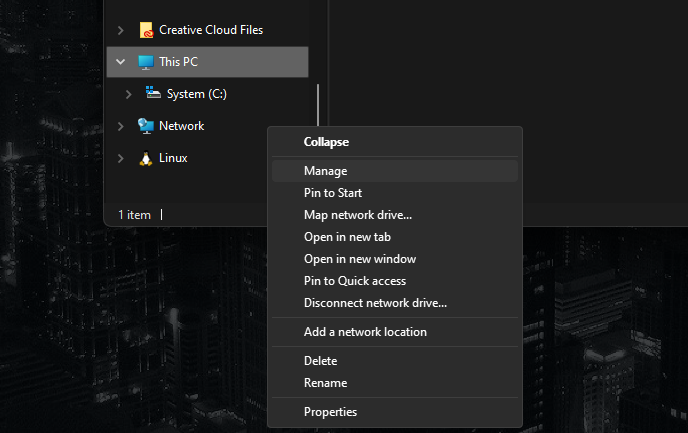
- On the Left Pane look for the Parent Category named “This PC” > Right Click > Show More Options (Optional) > Click Manage
- Once Computer Management opened, kindly expand “Local Users and Groups” and select Users.
- On the center/right pane, select the target user to resolved expiry in windows credentials.
- On the Left Pane look for the Parent Category named “This PC” > Right Click > Show More Options (Optional) > Click Manage

- After clicking the chosen User, it’s property dialog will open.
- Tick/Check the “Password never expires”

- Now, please expect that whatever password was set to that user, it will never have an expiration.